
Create a digital bookshelf
Organize and showcase your digital catalogs, magazines, and brochures with a virtual bookshelf. With Flipsnack, your online bookshelf creator, you can create branded shelves, track viewer interactions, and use data insights to optimize engagement. Share your virtual bookshelf via link or embed it on your website for easy access.
Trusted by the world’s most innovative businesses



A seamless way to showcase publications
Present and organize your digital materials seamlessly with a sleek virtual bookshelf. Highlight updates, enable easy searches, and boost engagement with high-level customization options. Include your logo and brand colors, add custom domains, and check detailed statistics. It’s a smooth way to showcase and sell your products effortlessly.
Every team, organized their own way
Marketers
Organize bookshelves by brand, campaign, or content type from monthly newsletters to seasonal catalogs, so your audience always finds the right material in one place.
Sales teams
Give every sales rep a bookshelf tailored to their client, country, or pricing, bundle region-specific catalogs into a single link so buyers only see what applies to them.
HR & Training managers
Centralize onboarding, employee training, and internal reference material in one dedicated bookshelf, so every team member has one link for everything they need.
What is a virtual bookshelf?
A virtual bookshelf is a digital space that allows users to easily organize, store, and manage digital books, magazines, brochures, and catalogs online. It empowers readers with quick access and enables them to browse publications under one link only. Virtual bookshelves can be created for specific needs and partners. Use Flipsnack as your online bookshelf creator and check insightful statistics about your virtual bookshelf’s performance. Additionally, track granular data to see how each individual interacts with the publications from your bookshelf. Leverage this data to identify their interests and tailor personalized offers.
Sign up for free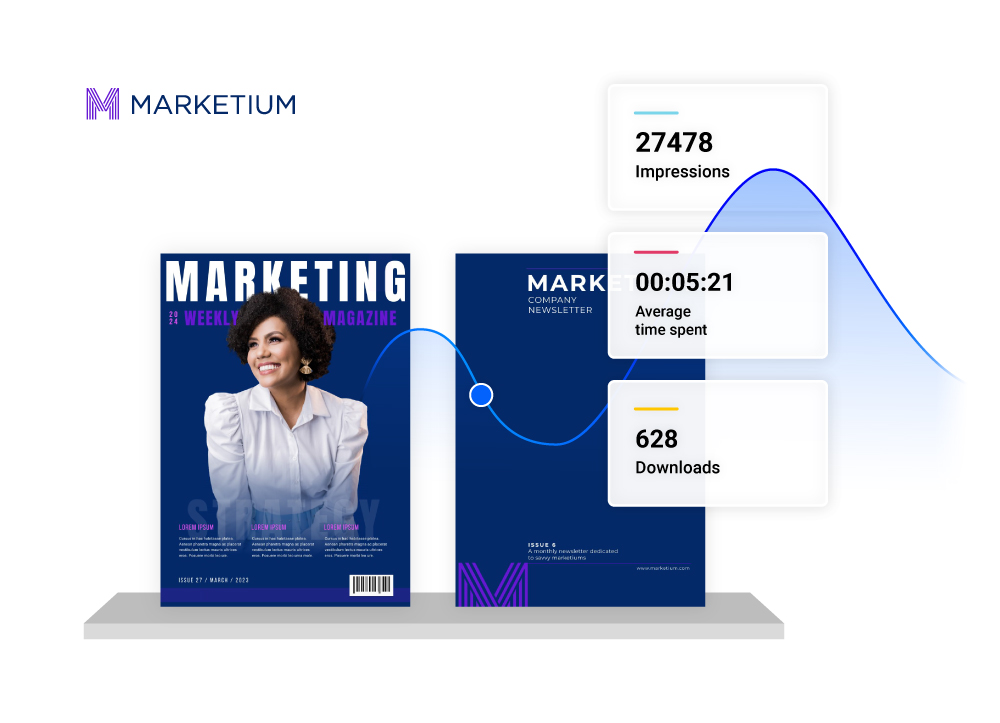
How to create a virtual bookshelf
Sign up for free1. Upload PDFs to Flipsnack
Start by uploading your PDF documents, such as books, catalogs, and training materials, into Flipsnack. Now, they are transformed into interactive flipbooks. This step ensures a solid foundation for creating a comprehensive digital library accessible anytime, anywhere.
2. Organize your publications
Once uploaded, from the main dashboard, click on Create, choose Bookshelf, and select the flipbooks you want to display. Organize and rearrange the publications on the shelf as you like. Remove or add more flipbooks easily by keeping the same bookshelf link.
3. Add interactivity
Before customizing the bookshelf, ensure to include some interactive elements in your publications. Add videos, links, quizzes, forms, shopping buttons, and more. Catch your audience's attention and immediately spark engagement.
4. Create & personalize
Enhance your bookshelf with custom names, logos, colors, and thumbnails. It’s easy to follow your brand’s identity while ensuring easy navigation and enhanced user engagement.
5. Share & track
Extend your reach by sharing your virtual bookshelf publicly, privately via link, or embedded on your website. Harness data-based statistics for insights on user engagement and content optimization.
Branding options for your shelf
Add your logo, set your own background
Drop in a logo and choose the background and shelf color, so the whole thing matches your brand instead of the default gray.Upload your own cover
Replace the auto-generated preview with your own image, so the shelf's first impression is a branded one.Rounded or square flipbook cornes
Choose between rounded and square corners for the flipbook thumbnails displayed in their bookshelf.Skip the shelf graphic entirely
Show just the publication covers on their own, with no shelf underneath, for a cleaner, more minimal look.Everything you need to organize and share content

Easy customization
Customize your virtual bookshelf with names and thumbnails and add branding elements like a logo and color palette for a distinctive style. Enable easy navigation and improved browsing with our search functionality.

Shelf-level statistics
Gain data-based insights from your bookshelf's performance through key statistics like impressions, views, clicks, and more. See how each flipbook performed within the bookshelf and use this data to improve content.

Secure sharing & embed
Share your virtual bookshelf via a link, or keep it unlisted and send it to selected clients and employees. Embed it on your website, or enable our SSO system for seamless employee access.

AI features
Embrace our AI capabilities to translate texts from your flipbooks easily. Use our page summaries or extract text options to enable accessibility for screen readers. Empower everyone to browse your publications smoothly.

Responsive design
Harness the mobile-friendly nature of Flipsnack’s features. The virtual bookshelf is responsive on any smartphone, tablet, or desktop device. Your publications will be readable and easy to navigate and browse through.

Interactivity
Elevate your PDF documents with interactive elements and immediately capture your clients' and employees’ attention. Embed videos, add links, photo slideshows, forms, questions, and more to impress and enhance engagement.


Flipsnack provides our retailers and consumers with the ability to access our entire portfolio of products anytime, anywhere, on any device.
Virtual bookshelf FAQs

Digital bookshelves are safe when hosted on secure platforms. They use encryption to protect your data and ensure controlled access. Flipsnack also offers features like password-protected sharing and custom permissions to safeguard your content and user privacy.
Yes, you can share your virtual bookshelf and individual books easily. Our digital bookshelf converter offers shareable links or embedding options, allowing you to distribute entire collections or specific publications directly to your audience with just a few clicks.
Yes, a virtual bookshelf has a responsive design, so it will look great on any device, whether mobile, smartphone, tablet, or laptop.
Yes. You can connect your own custom domain to your bookshelf link, so it feels like a native part of your website instead of a Flipsnack URL. This is available on our higher-tier plans.
Absolutely. You can share your bookshelf publicly, keep it unlisted and share the link only with select clients or employees, or enable SSO so your team can access it securely without a separate login.